The Skillhouse · 1h 45m · 11 lessons
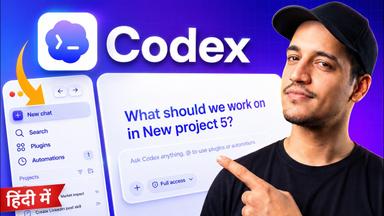
Master OpenAI Codex - Full Course in Hindi
Already know some of this? A 2-minute test skips the lessons you know.
Take the placement testThe plan
1 day at 90 min a dayDay 111 lessons · 1h 45mToday
- 1Conducting Research and Creating Documents with Built-in PluginsRun web research prompts, adjust model/intelligence/speed settings, and use @Document plugin to turn findings into a polished local .docx file with version history.10m Notes and quiz
- 2Building an iOS App Inside a ProjectCreate a Project from scratch, prompt for UI concepts, generate SwiftUI mockups via @Image skill, and iterate into a runnable Xcode project stored locally.14m Notes and quiz
- 3Install and Set Up Codex CLIInstall Codex CLI globally via npm, then authenticate using ChatGPT, device code, or an OpenAI API key.7m Notes and quiz
- 4Use Codex CLI Inside VS CodeLaunch Codex in a VS Code workspace, generate a complete Todo web app (HTML/CSS/JS), create and convert a Markdown document into a professional PPTX, and configure permission modes (auto-review vs full-access) and the /fast speed command.7m Notes and quiz
- 5Install VS Code and Codex ExtensionDownload and install VS Code, then add the official OpenAI Codex extension from the marketplace.12m Notes and quiz
- 6Access and Understand Agent Skills in CodexLocate the Skills tab in Codex, identify built-in system skills, and explain what an Agent Skill is—a reusable instruction package that teaches the agent to perform a specific task like an expert.6m Notes and quiz
- 7Create a Custom Agent Skill with the Skill CreatorUse the built-in Skill Creator to generate a reusable custom skill (e.g., an SEO blog writer) by describing the desired workflow, research steps, output format, and quality standards.7m Notes and quiz
- 8Hands-On: Spawning Research Subagents for a ReportLearn to prompt Codex to create multiple research subagents—one per startup—and compile their findings into a structured document.7m Notes and quiz
- 9Main Agent Quality Control & Assembly PhaseSee how the main agent reviews subagent deliverables, fills gaps itself, and assembles the final polished report.5m Notes and quiz
- 10Create a Hello World Animation with RemotionGenerate a basic animated text composition, run Remotion Studio locally to preview it, and iterate by adding a waving hand emoji with animation.17m Notes and quiz
- 11Generate a Faceless Explainer Video from a Simple PromptCreate a 30-second animated explainer on AI agents using a one-sentence prompt and inspect the generated code, assets, and preview studio.14m Notes and quiz