Editing Explained · 1h 13m · 11 lessons
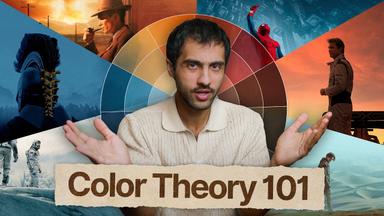
How to Color Grade like Hollywood
Already know some of this? A 2-minute test skips the lessons you know.
Take the placement testThe plan
1 day at 90 min a dayDay 111 lessons · 1h 13mToday
- 1Why Color Matters in StorytellingUnderstand how color choices provoke specific emotions and set the mood for a scene, using examples from films like Mexico (warm/orange) and Russia (cold/blue).5m Notes and quiz
- 2Fundamentals: Hue, Saturation, Luminosity & TemperatureDefine the core color properties—hue (color identity), saturation (color intensity), luminosity (brightness/darkness), and temperature (warm/cool balance)—used in every grading decision.6m Notes and quiz
- 3Fundamentals: Contrast, Highlights, Midtones & ShadowsLearn how contrast is built from the relationship between highlights, midtones, and shadows to create separation and depth in an image.4m Notes and quiz
- 4Color Harmonies: Monochromatic, Analogous & ComplementaryIdentify and apply the three core color harmonies—monochromatic (single hue), analogous (neighboring hues), and complementary (opposite hues)—using the color wheel.6m Notes and quiz
- 5Color Harmonies: Split Complementary & Free ToolsMaster split complementary harmony (three hues in a Y-shape) and use free tools like Adobe Color to extract themes, gradients, and check text readability.8m Notes and quiz
- 6Understanding Color Depth & Bit DepthExplain how bit depth (1-bit to 10-bit) determines the number of color shades (16M to 1B colors) and why 10-bit footage at 1080p beats 8-bit 4K for grading.6m Notes and quiz
- 7How to Color Grade like Hollywood · part 77m Notes and quiz
- 8Camera Formats: Rec.709, Log & Raw ExplainedDifferentiate Rec.709 (standard, compressed), Log (flat, high dynamic range, 10-bit), and Raw (uncompressed, 12-bit+, maximum flexibility) and when to choose each.13m Notes and quiz
- 9Codecs: Lossy, High-Quality Lossy & Lossless (Raw)Classify codecs by compression: lossy (H.264/H.265 for streaming), high-quality lossy (ProRes/DNxHR for production), and lossless Raw (BRAW, CRW, ProRes RAW) for high-end grading.6m Notes and quiz
- 10Containers vs. Codecs: MP4, MOV & Multi-Stream PackagingDistinguish codecs (encoding method) from containers (packaging format like MP4/MOV) that hold video, audio, subtitles, and metadata together for delivery.6m Notes and quiz
- 11How to Color Grade like Hollywood · part 136m Notes and quiz